
Radio
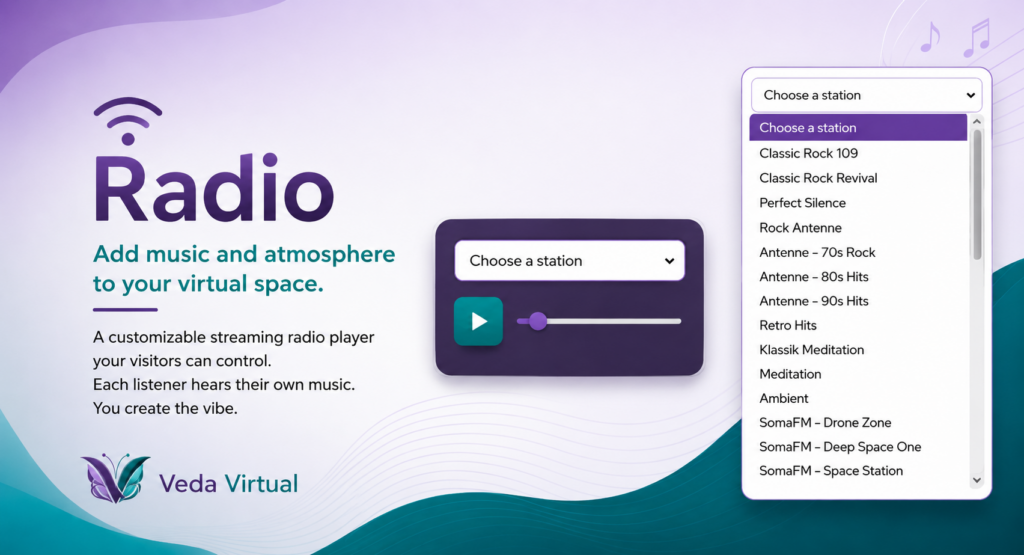
Add music and atmosphere to your virtual space with a customizable streaming radio player. The Radio widget is great for coworking rooms, lounges, networking spaces, study sessions, community hubs, or anywhere a little background music helps set the mood.
Visitors can choose from the stations you include, control their own volume, and listen without affecting anyone else in the room.
Important: The Radio plays separately for each visitor. If one person changes the station, pauses the music, or adjusts the volume, it only changes what they hear. It does not broadcast the same audio to everyone in the room.
Veda members with widget access can customize the station list, starting station and volume, colors, fonts, and appearance, then embed the finished Radio directly into their virtual space.
Try it out! Choose a station, press play, and adjust the volume. This sample works just like a Radio your visitors would use inside your room.
Radio FAQ
Can another member edit my Radio widget?
No. Your saved Radio widgets belong to your account and can only be managed by you.
Can I add a shadow around the Radio widget?
Yes. Turn on Outer Shadow in the Radio generator if you want the widget to stand out from the background.
Can I add my own radio stations?
Yes. Enter the station name and its stream URL in the Stations section, then select Add Station.
Can I change how rounded the Radio widget is?
Yes. Use the Corner Roundness control to adjust the widget’s border radius from square corners to more rounded corners.
Can I change the Radio widget colors?
Yes. The Radio generator lets you customize the background, accent, text, and button colors.
Can I change the Radio widget font?
Yes. Choose a font from the Font setting in the Radio generator.
Can I choose the starting volume?
Yes. Use the Starting Volume control in the Radio generator to choose the initial volume level.
Can I choose which station appears first?
Yes. Use the Starting Station setting to choose the station that is selected when the Radio widget loads.
Can I make separate Radio widgets with different station lists?
Yes. You can save multiple Radio widgets with different station lists, starting stations, colors, or other settings as long as you have available widget spots.
Can I preview the Radio widget before I save it?
Yes. The generator includes a live preview so you can see your station list, colors, font, controls, and sizing while you customize it.
Can I remove a station from my Radio widget?
Yes. Use the remove button next to a station in the Radio generator. Removing it from the saved widget removes it from the station list visitors see.
Can I resize the Radio widget in my room?
Yes. The Radio widget is responsive and is designed to fit the size of the embed area you give it in your virtual room.
Can I use several stations in one Radio widget?
Yes. A single Radio widget can contain multiple stations, and visitors can choose between them from the station dropdown.
Can the Radio widget have a transparent background?
Yes. Turn on Transparent Background if you want the room background behind the widget to show through.
Can visitors control the volume?
Yes. The Radio widget includes a volume slider visitors can adjust while listening.
Can visitors pause the radio?
Yes. The play button changes to a pause control while audio is playing so visitors can stop playback whenever they want.
Can visitors switch between stations?
Yes. Visitors can choose another station from the dropdown in the Radio widget.
Do I need to replace the Radio embed code after changing stations or styles?
No. Edit and save the existing Radio widget. The same embed code will show the updated station list and settings.
Does the Radio widget start playing automatically?
No. Visitors use the play button to start the selected station. This also avoids browser autoplay restrictions.
How do I create a Radio widget?
Open the Radio widget generator, choose your stations and style settings, give the widget a name, and save it. Once saved, copy the embed code from My Widgets and place it in your virtual room.
What happens if a radio station stops working?
If the station’s stream URL stops working, that station will not play. Edit your saved Radio widget and replace or remove the broken stream URL.
What happens if I do not choose a starting station?
Visitors will see the station list and can choose the station they want before pressing play.
What is the Radio widget?
The Radio widget lets you create a small, customizable streaming audio player with one or more stations that visitors can choose from inside your virtual room.
What kind of link do I need to add a radio station?
You need the station’s direct audio stream URL. A normal website page for a radio station will not work unless it points directly to the audio stream.
Why does the Radio widget look different when I make the embed smaller?
The Radio widget automatically adjusts its spacing, button size, text, and controls to fit smaller embed areas.
Why is the default starting volume low?
The Radio widget starts at a low volume so opening a room is less likely to blast visitors with unexpectedly loud audio. You can change the starting volume in the generator.
Why won’t a station play even though the link opens in my browser?
The Radio widget needs a direct audio stream URL. A station homepage, web player page, or other regular webpage may open in a browser but is not necessarily a playable stream.